
Distributed teams have become a standard operating model for organizations that need access to broad talent, flexible schedules, and faster project delivery. However, distance can complicate communication, document control, task ownership, and decision-making. Cloud-based collaboration tools help these teams manage projects and documents in one shared environment, giving employees, contractors, and stakeholders secure access to the information they need from any location.
TLDR: Cloud-based collaboration tools centralize project tasks, files, conversations, approvals, and updates so distributed teams can work with fewer delays. For example, a marketing team spread across five cities can reduce email-based document confusion by using one shared workspace with version history and task assignments. Organizations often report faster review cycles when files, comments, and deadlines are connected in a single platform; even a 20% reduction in approval time can significantly improve delivery speed. These tools work best when teams define clear workflows, permissions, and communication rules.
Why Distributed Teams Need Cloud-Based Collaboration
When team members work from different offices, time zones, or countries, traditional project management methods often become inefficient. Files may be stored on local drives, updates may be buried in email threads, and important decisions may be missed by people who are offline during meetings. Cloud-based platforms reduce these problems by creating a single source of truth for both project activity and document management.
Instead of sending multiple versions of a spreadsheet or presentation, a team can collaborate on the same file in real time. Instead of asking for status updates across several messaging channels, a project manager can review dashboards, task boards, and activity logs. This structure makes work more transparent and reduces the risk of duplication, missed deadlines, and outdated information.
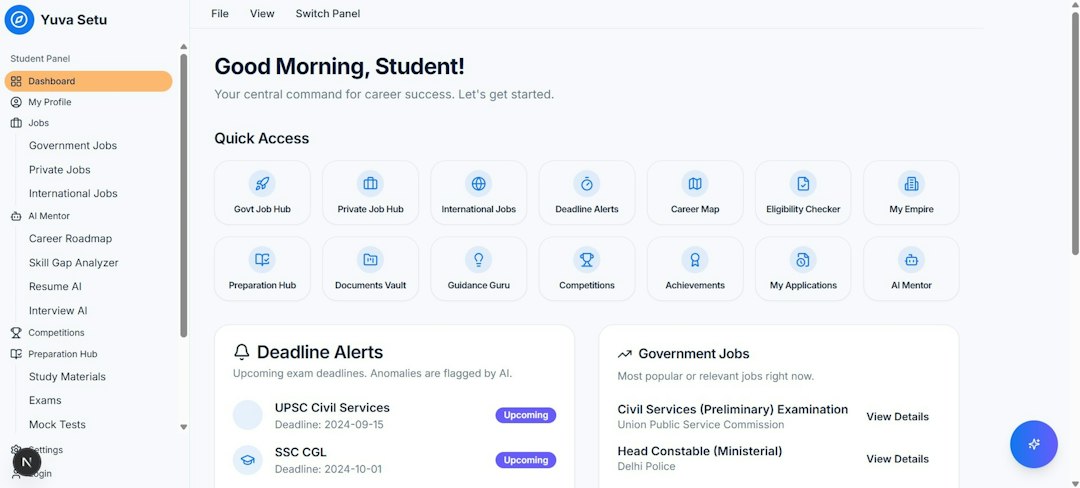
Core Features That Support Project Management
Modern cloud collaboration tools typically combine several functions that are essential for distributed project work. The most valuable features include:
- Task assignment: Managers can assign responsibilities, deadlines, priorities, and dependencies to specific team members.
- Shared calendars: Teams can coordinate milestones, meetings, launch dates, and review periods across time zones.
- Progress tracking: Dashboards and visual boards show whether tasks are planned, in progress, blocked, or completed.
- Automated notifications: Platforms can alert employees when a file is updated, a task is reassigned, or a deadline is approaching.
- Integrated communication: Comments, mentions, chat, and discussion threads keep project conversations connected to the relevant work.
These features help project leaders maintain visibility without relying on constant meetings. For example, a software development team may use a shared board to track bugs, feature requests, testing tasks, and release activities. A product manager can quickly see which items are delayed and whether additional support is needed.
Document Management in the Cloud
Documents are often at the center of distributed work. Contracts, proposals, briefs, reports, creative assets, policies, and technical files may pass through several reviewers before completion. Cloud-based document management makes this process more organized by allowing teams to store, edit, categorize, and protect files in one location.
Version control is one of the most important benefits. When multiple people edit a file, the system records changes and often allows previous versions to be restored. This reduces confusion over which file is final and helps teams understand who made specific updates. In regulated industries, version history can also support audits and compliance reviews.
Cloud platforms also support permissions and access levels. A legal team may allow executives to view a contract while giving only legal staff permission to edit it. A design team may share preview links with clients while keeping source files restricted. These controls protect sensitive information while still encouraging collaboration.
Benefits for Productivity and Accountability
Cloud collaboration tools can improve productivity by reducing time spent searching for files, clarifying responsibilities, and following up on progress. When tasks and documents are connected, the team can see not only what must be done but also which materials are needed to complete the work.
Accountability also improves because responsibilities are visible. If a project milestone depends on a draft report, the assigned owner, due date, and review status can be tracked directly inside the platform. This does not eliminate the need for leadership, but it gives managers better information for making decisions.
Another advantage is asynchronous work. Distributed teams often cannot meet at the same time every day. Cloud tools allow employees to contribute when their schedules allow, leaving comments, approving documents, updating tasks, or attaching files for others to review later. This is especially useful for global teams that work across large time zone differences.
Security and Compliance Considerations
Although cloud collaboration improves flexibility, organizations should approach security carefully. Sensitive project files and business documents require strong protection. A reliable cloud platform should include multi-factor authentication, encryption, user permissions, audit logs, and administrative controls.
Organizations should also establish internal governance rules. These may define who can create shared folders, how long files should be retained, which documents require approval, and what information can be shared with external partners. Without governance, a cloud workspace can become cluttered or risky, even if the software itself is secure.
Compliance requirements vary by industry. Healthcare, finance, education, and government-related organizations may need tools that meet specific privacy or recordkeeping standards. Before selecting a platform, decision-makers should review data storage locations, backup policies, access controls, and vendor security certifications.
Choosing the Right Collaboration Platform
No single tool fits every distributed team. The right choice depends on project complexity, team size, security needs, budget, and existing software. A small creative agency may prioritize file previews, feedback tools, and client collaboration. A large engineering company may prioritize structured workflows, reporting, integrations, and permission management.
Teams should evaluate platforms based on practical criteria:
- Ease of use: Employees should be able to adopt the tool without excessive training.
- Integration options: The platform should connect with email, calendars, messaging apps, design tools, or customer systems when needed.
- Scalability: The system should support more users, projects, and storage as the organization grows.
- Search quality: Strong search features help employees locate documents, comments, and historical decisions quickly.
- Mobile access: Team members should be able to review tasks and documents securely from mobile devices.
A pilot program can help determine whether a platform fits everyday workflows. By testing the tool with one department or project team, leadership can identify adoption issues, missing features, and training needs before a wider rollout.

Best Practices for Successful Adoption
Cloud tools are most effective when paired with clear operating habits. A platform cannot automatically fix unclear responsibilities or inconsistent communication. Distributed teams should define how work should be documented, where decisions should be recorded, and when notifications should be used.
Common best practices include naming files consistently, archiving completed projects, limiting unnecessary channels, and assigning document owners. Teams should also agree on response expectations. For example, urgent blockers may require a same-day response, while routine document comments may allow 24 to 48 hours.
Training is also important. Even intuitive platforms contain features that employees may overlook, such as saved views, automation rules, approval workflows, and advanced search. Short training sessions and internal guides can increase adoption and reduce inefficient workarounds.
The Future of Cloud Collaboration
Cloud-based collaboration is becoming more intelligent and automated. Many platforms now include artificial intelligence features that summarize discussions, suggest next steps, classify documents, translate content, and identify project risks. These capabilities can help distributed teams process information faster, especially when projects generate large volumes of messages and files.
However, the basic goal remains the same: helping people work together clearly, securely, and efficiently, regardless of location. Organizations that combine the right tools with disciplined workflows are better positioned to deliver projects on time and maintain reliable document control.
FAQ
What are cloud-based collaboration tools?
Cloud-based collaboration tools are online platforms that allow teams to manage tasks, share documents, communicate, and track progress through a shared digital workspace.
Why are these tools important for distributed teams?
They help distributed teams stay aligned by centralizing project information, reducing email confusion, supporting asynchronous work, and making responsibilities visible.
How do cloud tools improve document management?
They provide shared storage, version history, access permissions, real-time editing, comments, and approval workflows, which reduce errors and improve control over important files.
Are cloud collaboration platforms secure?
Many platforms offer strong security features such as encryption, multi-factor authentication, audit logs, and permission controls. However, organizations should also create internal policies for safe usage.
What should a company consider before choosing a tool?
A company should consider ease of use, integrations, scalability, security, search functions, mobile access, cost, and how well the platform supports existing workflows.
Leave a Reply