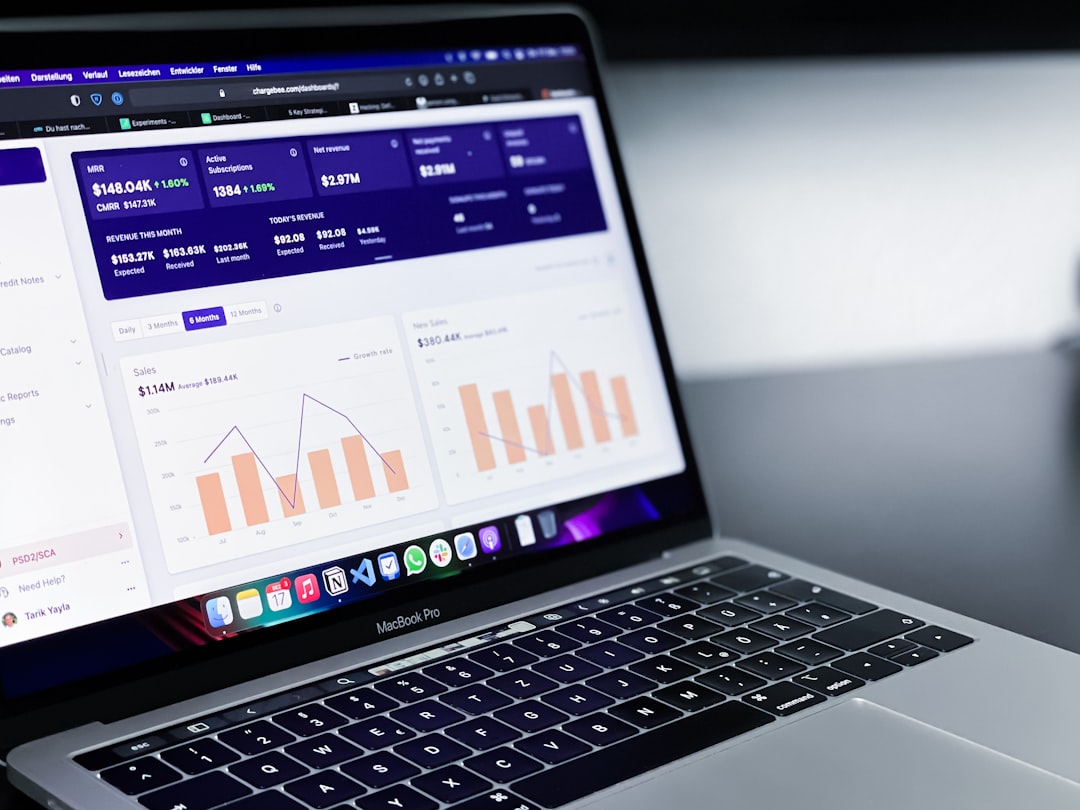
For Magento and Adobe Commerce stores, data is often the difference between steady growth and costly guesswork. A strong business intelligence setup helps ecommerce teams understand revenue trends, customer behavior, inventory movement, marketing performance, and operational bottlenecks. When Magento data is connected to the right analytics tools and reporting integrations, decision-makers can see what is working, what is underperforming, and where the next opportunity may be found.
TLDR: Magento Business Intelligence helps ecommerce businesses turn store data into clear, actionable insights. The best analytics stacks usually combine Magento reports, Adobe Commerce Intelligence, Google Analytics 4, dashboard tools, and connectors for marketing, finance, and inventory data. Effective reporting integrations should provide accurate attribution, customer segmentation, product performance tracking, and automated dashboards. The strongest setup depends on business size, data complexity, and the decisions the team needs to make every week.
Why Magento Business Intelligence Matters
Magento is highly flexible, but that flexibility often creates complex data environments. A store may use multiple payment gateways, shipping extensions, advertising platforms, marketplaces, customer support tools, and ERP systems. Without centralized reporting, teams may spend hours comparing spreadsheets or making decisions from incomplete information.
Magento Business Intelligence provides a structured way to collect, clean, analyze, and visualize ecommerce data. This can help teams identify best-selling products, profitable customer segments, abandoned cart patterns, discount performance, and lifetime value trends. For growing businesses, reliable analytics can also support forecasting, merchandising, and budget planning.
Built-In Magento Reporting Features
Magento includes native reporting tools that can be useful for basic store analysis. These reports usually cover sales, tax, invoices, shipping, refunds, products, customers, and search terms. For smaller stores, built-in reports may provide enough visibility to monitor daily performance.
Common native Magento reports include:
- Sales reports: order totals, refunds, tax, shipping, and invoiced revenue.
- Product reports: bestsellers, low stock items, ordered quantities, and product views.
- Customer reports: new accounts, order counts, and customer activity.
- Marketing reports: search terms, abandoned carts, and coupon usage.
However, native reporting has limitations. It may not offer advanced attribution, predictive analytics, flexible dashboards, or deep cross-channel comparisons. As order volume and marketing spend increase, many businesses move toward dedicated business intelligence platforms.
Adobe Commerce Intelligence
Adobe Commerce Intelligence, previously associated with Magento Business Intelligence, is one of the most direct BI solutions for Adobe Commerce users. It connects commerce data with marketing, customer, and financial sources to create centralized dashboards.
This platform is especially valuable for teams that need detailed ecommerce metrics such as customer lifetime value, repeat purchase rate, cohort analysis, average order value, churn behavior, and revenue by acquisition channel. It can also help executives monitor high-level KPIs while analysts create deeper reports for merchandising and retention strategies.
Its main advantage is its commerce-focused structure. Instead of building every report from scratch, teams can use ecommerce-specific models and dashboards. The drawback is that pricing and implementation may be better suited to mid-market and enterprise businesses rather than very small stores.
Google Analytics 4 for Magento
Google Analytics 4 is one of the most widely used analytics tools for Magento stores. It helps track traffic sources, user journeys, events, conversions, product views, cart actions, and checkout behavior. When configured properly, GA4 provides important insight into how visitors arrive and interact with the store before purchasing.
For Magento businesses, GA4 is especially useful for:
- Measuring organic, paid, email, social, and referral traffic performance.
- Tracking ecommerce events such as product views, add to cart actions, and purchases.
- Analyzing conversion paths across multiple devices and sessions.
- Building audiences for remarketing and advertising campaigns.
GA4 is powerful, but it should not be the only reporting source. It focuses heavily on web behavior and attribution, while Magento order data, refunds, margins, inventory, and customer records may require additional BI or reporting tools.
Looker Studio and Dashboard Reporting
Looker Studio is a popular reporting layer for Magento analytics because it can visualize data from GA4, Google Ads, Search Console, spreadsheets, databases, and third-party connectors. It allows teams to create customized dashboards that are easy to share with managers, agencies, and stakeholders.
For example, a Magento team may build one dashboard for marketing performance, another for sales operations, and another for product merchandising. This keeps reporting focused and reduces unnecessary noise.

Looker Studio works best when data sources are clean and consistent. If a business needs advanced data modeling, margin calculations, or multi-source customer identity resolution, it may need a stronger data warehouse or BI platform behind the dashboard.
Power BI and Tableau Integrations
Microsoft Power BI and Tableau are widely used business intelligence platforms that can support more advanced Magento reporting. They are often chosen by companies that need to combine ecommerce data with ERP, CRM, accounting, supply chain, and customer service data.
Power BI is commonly favored by organizations already using Microsoft tools such as Azure, Excel, and Dynamics. Tableau is known for strong visual exploration and flexible data analysis. Both platforms can deliver executive dashboards, automated reports, and detailed performance breakdowns.
These tools are especially helpful when Magento data must be analyzed alongside:
- Inventory systems for stock planning and reorder decisions.
- CRM platforms for customer segmentation and sales follow-up.
- Advertising platforms for return on ad spend and campaign profitability.
- Finance systems for revenue recognition, costs, and margins.
Data Connectors and Reporting Integrations
Magento reporting often depends on connectors that move data between platforms. Common integration options include API-based connectors, ETL tools, data warehouse pipelines, and extension-based reporting modules. Tools such as Fivetran, Stitch, Hevo, Supermetrics, and similar services can help transfer Magento, advertising, and sales data into analytics environments.
The best connector depends on data volume, refresh frequency, technical resources, and required destinations. A small store may only need a GA4 and Looker Studio connector. A larger business may need a warehouse such as BigQuery, Snowflake, Redshift, or Azure Synapse to manage large datasets and advanced reporting models.
Accuracy should be the priority. If revenue, refunds, taxes, discounts, and shipping data are interpreted differently across tools, reports may conflict. A strong implementation defines clear rules for order status, net revenue, gross revenue, canceled orders, and attribution windows.
Key Metrics Magento Stores Should Track
Effective Magento BI focuses on metrics that guide practical decisions. While every business has different goals, several KPIs are consistently useful:
- Conversion rate: the percentage of visitors who complete a purchase.
- Average order value: the average revenue generated per order.
- Customer lifetime value: the estimated total value of a customer over time.
- Repeat purchase rate: the share of customers who return to buy again.
- Cart abandonment rate: the percentage of carts that do not convert.
- Product margin: profitability after product costs, discounts, and operational expenses.
- Return on ad spend: revenue generated for each unit of advertising spend.

Choosing the Best Magento Analytics Stack
There is no single best analytics tool for every Magento business. A smaller store may perform well with Magento reports, GA4, and Looker Studio. A scaling brand may add Adobe Commerce Intelligence or a data warehouse. An enterprise operation may use Power BI or Tableau with multiple integrations across marketing, finance, CRM, and logistics.
Before choosing tools, decision-makers should identify the questions that reporting must answer. These may include which channels produce profitable customers, which products should receive more inventory, which campaigns create repeat buyers, or where checkout friction occurs. Once the questions are clear, the tool selection becomes more strategic.
Best Practices for Magento BI Implementation
- Define core KPIs first: reporting should support business goals, not create vanity dashboards.
- Standardize data definitions: teams should agree on revenue, refunds, order status, and customer segments.
- Automate reporting: manual spreadsheets increase the risk of errors and delays.
- Validate tracking regularly: analytics tags, checkout events, and integrations should be tested after site updates.
- Segment customers: new, returning, high-value, and at-risk customers often require different strategies.
Conclusion
Magento Business Intelligence gives ecommerce teams the visibility needed to improve sales, marketing, operations, and customer retention. The strongest analytics environments combine reliable Magento data with tools such as Adobe Commerce Intelligence, GA4, Looker Studio, Power BI, Tableau, and data connectors. When reporting is accurate, automated, and aligned with business goals, Magento stores can move from reactive decision-making to confident, data-driven growth.
FAQ
- What is Magento Business Intelligence?
It is the process of collecting, analyzing, and reporting Magento store data to support better ecommerce decisions. - Is Adobe Commerce Intelligence required for Magento analytics?
No. It is a strong option, but many stores also use GA4, Looker Studio, Power BI, Tableau, or custom data warehouse solutions. - What is the best free analytics tool for Magento?
Google Analytics 4 is one of the best free options for tracking traffic, user behavior, and ecommerce events. - Why do Magento reports differ from Google Analytics revenue?
Differences can come from attribution rules, tracking errors, refunds, taxes, shipping, canceled orders, or cookie consent limitations. - How often should Magento dashboards be updated?
Many businesses use daily updates, while high-volume stores may need near real-time reporting for sales, inventory, and campaign monitoring.
Leave a Reply