Apowersoft is the safer pick for batch watermark removal, while HitPaw suits creators who want heavier AI cleanup and Media.io fits quick browser edits. For busy content teams, the best tool depends on volume, privacy, and how much manual control is needed. Social video is not slowing down either: DataReportal reported more than 5 billion social media users worldwide in 2024, which means more clips, thumbnails, product shots, and repost-ready assets need cleanup every week [source: DataReportal].
TLDR: Apowersoft Watermark Remover works best when a team needs to process several images or videos in a row, such as removing date stamps from 50 old product photos. HitPaw is better for creators who also need AI object removal, background fixes, and video repair in one place. Media.io is the easiest choice when someone needs a fast online cleanup without installing software. For a weekly workflow of 20 short clips and 80 images, Apowersoft may save the most time, while Media.io is better for one-off edits.

Quick comparison: which tool fits which workflow?
- Apowersoft Watermark Remover: Best for batch work, simple removals, and mixed image plus video tasks.
- HitPaw: Best for AI cleanup, object removal, video enhancement, and creators who want more than watermark removal.
- Media.io: Best for browser-based edits, light projects, and users who hate installing extra apps.
- Cleanup.pictures: Best for fast image object removal with a very simple brush tool.
- Adobe Photoshop and Premiere Pro: Best for advanced teams that need full control, layers, masking, and pro export options.
1. Apowersoft Watermark Remover
Apowersoft Watermark Remover is built for a clear job: remove watermarks, logos, subtitles, date stamps, and unwanted marks from images or videos. It is not trying to be a full creative suite. That is part of its appeal.
The tool supports batch processing, which matters when a marketer has a folder full of old campaign images. A user can import several files, select the marked area, and let the software process them together. This is where Apowersoft feels more practical than many browser tools.
Best for: agencies, ecommerce teams, course creators, and social media editors handling repeat cleanup jobs.
Annoyance: the interface can feel a bit plain. It gets the work done, but nobody will call it slick. Fine-tuning the selection box may also take a few extra clicks when the watermark sits on a detailed background.
2. HitPaw
HitPaw is more of an AI editing toolkit. Its watermark remover is only one part of the package. Depending on the product version, users may also find tools for object removal, image enhancement, video improvement, background removal, and file conversion.
This makes HitPaw useful for creators who want one hub for cleanup and repair. For example, a YouTuber might remove a corner logo, sharpen a low-light clip, and clean up a thumbnail without switching tools.
Best for: creators, YouTubers, TikTok editors, and solo businesses that want many AI tools in one account.
Annoyance: it can feel like there are too many related HitPaw products and pages. Anyone in a rush may spend longer than expected figuring out which version handles the exact task.
3. Media.io
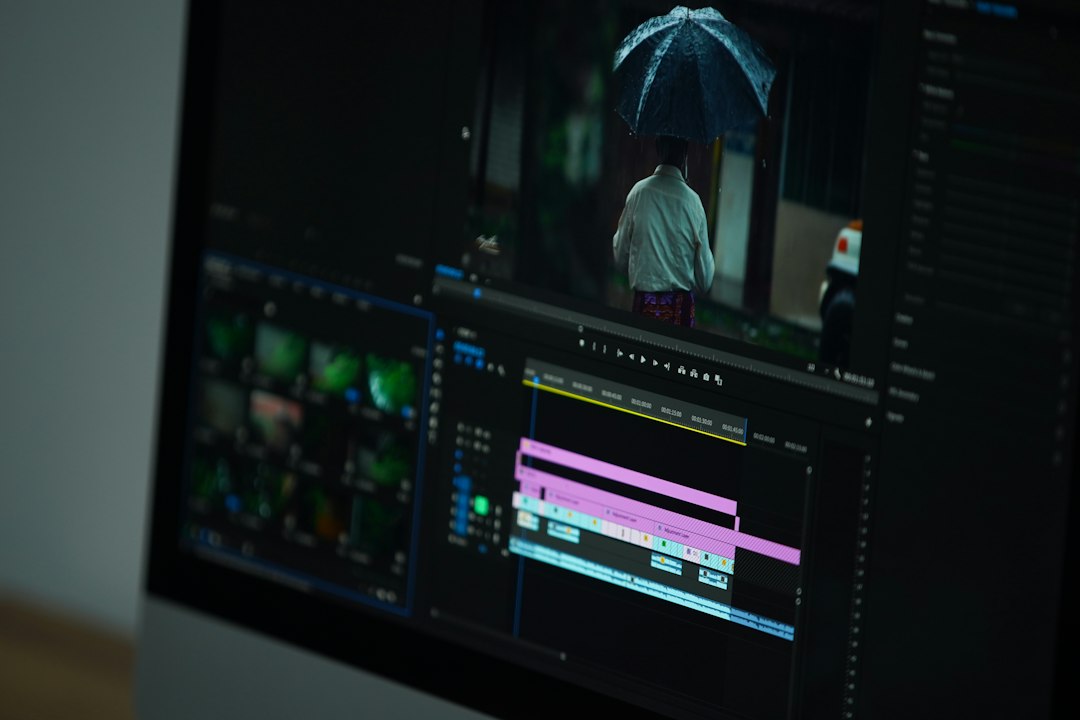
Media.io is the quick online option. It runs in the browser and includes tools for watermark removal, object removal, background editing, compression, conversion, and simple AI media tasks.
Its biggest strength is access. A user can open the site, upload a file, clean it up, and export it. No install. No heavy setup. This works well for students, freelancers on shared devices, or teams using locked work laptops.
Best for: light edits, remote teams, quick social posts, and users who only need cleanup now and then.
Annoyance: upload and export times can drag with large video files. Expect to waste time on a 500 MB clip if the connection is weak. Local desktop tools often feel faster for repeat video work.
4. Cleanup.pictures
Cleanup.pictures is focused on image cleanup. It is not a video tool. Still, it earns a place in content editing workflows because it is so fast for removing small visual distractions.
A user paints over an object, wire, logo, blemish, or random background item. The tool fills the area using AI. It works well for social graphics, blog images, profile shots, and ecommerce previews.
Best for: bloggers, product sellers, designers, and anyone cleaning still images.
Weak spot: it may struggle with complex textures, repeated patterns, or faces near the removed area. In those cases, a pro editor may still need Photoshop.
5. Adobe Photoshop and Premiere Pro
Adobe tools are the premium route. Photoshop is strong for image cleanup with tools like Content-Aware Fill, clone stamp, healing brush, masks, and generative fill. Premiere Pro can help with video masking, blurring, cropping, and frame-level fixes.
This setup is best for teams that need precision. It is also useful when cleanup must match a brand style or pass client review. The tradeoff is clear: more control means more learning.
Best for: professional editors, agencies, and brands that need polished output.
Weak spot: the workflow can feel heavy for a simple watermark removal. Opening a full editing suite just to clean one image feels like using a moving truck for one grocery bag.

Which one should a team choose?
For repeat watermark removal, Apowersoft Watermark Remover is the most direct choice. It is simple, batch-friendly, and made for this exact task.
For a wider AI toolbox, HitPaw is more flexible. It gives creators room to fix more than marks and logos. That matters when source files are messy.
For browser speed and no-install edits, Media.io is the easy pick. It is not always the fastest with big files, but it is convenient.
For still image cleanup, Cleanup.pictures is fast and friendly. For pro-grade control, Adobe Photoshop and Premiere Pro remain hard to beat.
One warning matters: watermark removal should only be used on content the user owns, has licensed, or has permission to edit. Removing ownership marks from someone else’s work can create legal and ethical problems.
FAQ
Is Apowersoft better than HitPaw?
Apowersoft is better for focused watermark removal and batch work. HitPaw is better for broader AI editing and cleanup tasks.
Is Media.io good for video watermark removal?
Yes, for light and quick edits. Large videos may take longer because everything depends on upload speed and browser performance.
Which tool is best for ecommerce images?
Apowersoft works well for batch watermark or date stamp removal. Cleanup.pictures is better for removing small objects from product photos.
Can these tools remove moving watermarks from videos?
Some can, but results vary. Moving marks over faces, text, or busy backgrounds are harder to clean.
Is watermark removal legal?
It depends on ownership and permission. It is safest when used on the user’s own files, licensed assets, or internal drafts.