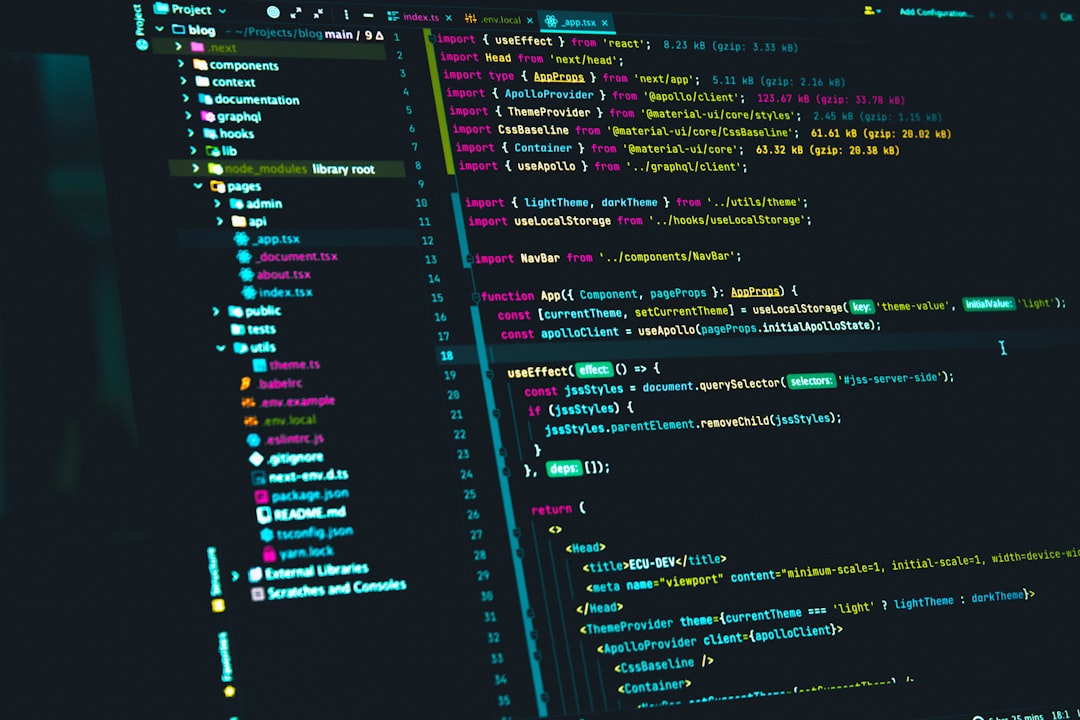
AI coding terminals are becoming a serious category of developer tooling: they combine the command line, codebase awareness, and agentic workflows in a single interface. Godel Terminal sits in this space as an AI-assisted development environment focused on helping users inspect projects, generate code, run commands, and iterate without constantly switching between a terminal, editor, and browser.
TLDR: Godel Terminal is best understood as an AI coding terminal for developers who want conversational assistance directly inside a command-line workflow. In a practical scenario, a small engineering team could use it to reduce repetitive tasks such as scaffolding files, explaining legacy code, or generating tests; for example, cutting a 45-minute codebase orientation task down to about 15–20 minutes. Its strengths are speed, context-aware assistance, and workflow consolidation, while its limitations depend on model accuracy, project complexity, and how much control a developer wants over AI-generated changes. Strong alternatives include Cursor, GitHub Copilot, Continue, Aider, and Sourcegraph Cody.
What Is Godel Terminal?
Godel Terminal is an AI coding tool designed around the terminal experience. Instead of treating AI as a separate chat window, it aims to make coding assistance part of everyday development activity: reading files, suggesting commands, generating snippets, explaining errors, and helping users move from task description to implementation.
The core appeal is straightforward. Developers already spend a significant amount of time in terminals, especially when working with Git, package managers, test suites, container tools, and deployment commands. A terminal-based AI assistant can reduce friction by letting users ask questions in the same place where they execute work.
That said, tools in this category should not be evaluated as magic replacements for software engineers. They are better judged as productivity layers: useful for acceleration, review, and exploration, but still dependent on human judgment, code review, test coverage, and security awareness.

Key AI Coding Features
1. Natural language coding assistance
Godel Terminal allows users to describe coding tasks in plain language. For example, a developer might ask it to “add input validation to this API endpoint” or “explain why this test is failing.” This is valuable because it lowers the cost of starting a task, especially in unfamiliar codebases.
2. Codebase-aware answers
The most useful AI coding tools do more than answer generic programming questions. They inspect project files and provide responses based on local context. If Godel Terminal is connected to the project structure, it can help identify where a function is defined, how modules relate to each other, or which files may need updating for a feature.
3. Command generation and explanation
A terminal assistant can recommend shell commands, explain flags, and help debug command-line errors. This is particularly helpful for developers working across different ecosystems, such as Node.js, Python, Docker, Kubernetes, or cloud CLIs. However, users should review commands carefully before execution, especially if they modify files, delete data, or affect production infrastructure.
4. Test generation and debugging
Godel Terminal can be useful for writing unit tests, suggesting edge cases, and interpreting failed test output. In practice, this may be one of the most reliable productivity uses for AI coding tools. Test code still requires review, but AI can quickly produce a first draft that covers common paths and boundary conditions.
5. Refactoring support
For refactoring, an AI terminal can suggest cleaner structures, rename functions, simplify repeated logic, and identify potential side effects. The quality of this feature depends heavily on context window size, indexing quality, and whether the tool can understand relationships across multiple files.
User Experience and Workflow
The main advantage of Godel Terminal is workflow concentration. Many developers lose time switching between documentation, a browser-based AI chatbot, the editor, and the terminal. By keeping AI support closer to the execution layer, Godel Terminal can feel more direct and operational.
A typical workflow might look like this:
- Clone or open a repository and let the AI inspect the project structure.
- Ask for a summary of the architecture, dependencies, and main entry points.
- Describe a task, such as adding a new route, fixing a failing test, or improving error handling.
- Review proposed changes before applying them.
- Run tests and iterate based on the resulting errors or warnings.
This is especially useful for onboarding. In many teams, understanding a mid-sized repository can take several hours or even days. An AI terminal will not eliminate that learning curve, but it can provide a structured first pass. For example, it can identify the main configuration files, summarize package scripts, and explain how the application starts.
Strengths of Godel Terminal
Speed is the clearest benefit. When the tool works well, it reduces the time needed to search for syntax, inspect unfamiliar files, or draft repetitive code. For developers who use the terminal heavily, the experience can feel more natural than relying on a separate AI chat application.
It may also improve consistency. If used carefully, Godel Terminal can help generate similar patterns across a codebase, such as consistent error messages, test structures, or API handlers. This matters in teams where inconsistency creates maintenance overhead.
Another strength is learning support. Junior developers can ask explanatory questions without immediately interrupting senior engineers. Senior developers, meanwhile, can use it for faster navigation, boilerplate generation, and debugging assistance.
Limitations and Risks
The most important limitation is accuracy. AI coding tools can produce confident but incorrect suggestions. They may misunderstand business logic, overlook security requirements, or generate code that passes simple tests but fails in production scenarios.
Security is another concern. Developers should be cautious about sharing proprietary code, credentials, customer data, or internal infrastructure details with any AI system. Before adopting Godel Terminal in a company environment, teams should review its data handling, retention policies, model providers, and access controls.
There is also the risk of over-automation. A good AI coding workflow should keep developers in control. The tool should assist with reasoning, drafting, and iteration, not silently apply broad changes without review. For serious engineering teams, human approval, version control discipline, automated testing, and peer review remain essential.
Who Should Use Godel Terminal?
Godel Terminal is most suitable for developers who are comfortable in command-line environments and want AI support integrated into that workflow. It is a strong fit for backend engineers, full-stack developers, DevOps-oriented teams, and technical founders who move quickly between code changes and terminal commands.
It may be less ideal for users who prefer visual IDE-first workflows or need deep graphical debugging features. In those cases, an AI-enhanced editor may feel more integrated and easier to use.
Best Godel Terminal Alternatives
Cursor is one of the strongest alternatives for developers who want a full AI-powered code editor. It offers chat, codebase understanding, inline edits, and multi-file changes inside an IDE-like interface. Cursor is often a better choice for users who prefer visual editing over terminal-first workflows.
GitHub Copilot remains a mainstream option, especially for teams already using GitHub and Visual Studio Code. Its autocomplete is mature, and Copilot Chat adds conversational assistance. It is less terminal-centered but widely supported and familiar to many developers.
Continue is an open-source AI coding assistant that integrates with editors such as VS Code and JetBrains IDEs. It is appealing for developers who want more control over models, configuration, and local or self-hosted options.
Aider is a notable terminal-based coding assistant and one of the closest conceptual alternatives. It works well with Git-based workflows and can make code changes through conversational prompts. Developers evaluating Godel Terminal should compare it directly with Aider if terminal-native AI development is the priority.
Sourcegraph Cody is strong for large codebases where search and code intelligence matter. It can help teams understand complex repositories and navigate internal systems more effectively, particularly in enterprise environments.
Final Verdict
Godel Terminal is a serious and relevant tool in the growing AI coding assistant market. Its main value is not simply that it can generate code, but that it brings AI assistance closer to the practical environment where developers run commands, inspect errors, and manage projects.
For terminal-focused developers, it can be a meaningful productivity upgrade. For teams, the decision should depend on security requirements, codebase complexity, pricing, model quality, and integration with existing workflows. The best approach is to test it on controlled tasks first: generate tests, summarize modules, fix minor bugs, and compare results against human review.
Overall, Godel Terminal is worth considering if your development process is command-line heavy and you want AI support embedded in that rhythm. If you prefer an editor-first experience, Cursor or GitHub Copilot may be more practical. If openness and configurability matter most, Continue or Aider may be better alternatives.
Leave a Reply