Use Claude as an audit analyst, not as your SEO source of truth. The practical workflow is simple: export data from trusted tools, clean it, give Claude focused batches, and ask for prioritized findings with evidence. Claude is strong at spotting patterns, grouping issues, rewriting content, and turning messy exports into action plans. It is not a crawler, rank tracker, log file analyzer, or replacement for your own judgment.
TLDR: Run your SEO audit in three passes: technical health, content quality, and search opportunity. For example, a SaaS site with 1,240 indexed URLs might use Claude to group 312 crawl errors into 7 issue types, flag 48 weak pages, and identify 23 keyword gaps from Search Console data. In one realistic workflow, this can cut the first review pass from 6 hours to roughly 90 minutes. The best results come from clean exports, tight prompts, and human review before anything goes live.
1. Start with the right audit inputs
Claude works best when the data is specific. Do not start by asking, “Audit my website.” That gives you vague advice. Instead, feed it structured exports from tools you already trust.
Useful inputs include:
- Crawl exports from Screaming Frog, Sitebulb, Ahrefs, or Semrush.
- Google Search Console data for queries, pages, impressions, clicks, CTR, and average position.
- Analytics data for sessions, conversions, bounce rate, and revenue where available.
- Page templates, title tags, meta descriptions, H1s, canonicals, status codes, and indexability flags.
- Content samples from top pages, weak pages, and pages that recently lost traffic.
The catch is that most exports are noisy. They contain tracking URLs, filtered pages, staging remnants, and junk parameters. Clean that first. Claude can help detect suspicious patterns, but you should still remove obvious waste before analysis. Otherwise, you will spend 20 minutes reading recommendations for URLs nobody cares about.

2. Use Claude for technical SEO triage
Technical SEO audits often fail because teams list every issue with equal weight. A missing meta description on an old tag page does not matter as much as a broken canonical on a revenue page. Claude can help sort the mess.
Start with a crawl export containing at least these columns:
- URL
- Status code
- Indexability
- Canonical URL
- Title tag
- Meta description
- H1
- Word count
- Internal links
- Depth from homepage
Then use a prompt like this:
“Act as a technical SEO auditor. Review this crawl export. Group issues by type, estimate severity, explain the search risk, and recommend fixes. Prioritize issues affecting indexable pages, pages with high internal link counts, or pages close to the homepage. Return a table with issue, affected URL count, sample URLs, severity, likely cause, and next action.”
This works well for finding:
- Canonical conflicts, such as pages pointing to unrelated URLs.
- Indexable duplicate pages caused by filters or parameters.
- Thin pages with low word count and weak internal signals.
- Broken internal links that waste crawl paths.
- Redirect chains that slow crawlers and users.
- Title duplication across similar pages.
Honestly, it feels like some crawlers make you click through five panels just to compare canonicals and status codes. Claude can summarize that work quickly if the export is clean.
3. Ask for severity, not just findings
A useful audit is not a bug list. It is a decision tool. Ask Claude to rate each issue by impact, effort, and confidence.
Use a scoring model like this:
- Impact: 1 to 5, based on likely traffic or indexing effect.
- Effort: 1 to 5, based on development or editorial work.
- Confidence: 1 to 5, based on data strength.
Then ask it to create a priority queue. For example, fixing 86 indexable parameter URLs may score higher than rewriting 200 meta descriptions. This keeps the audit grounded. It also helps teams avoid busywork.

4. Use Claude for content reviews
Claude is especially useful for reviewing content at scale. It can compare pages, find repeated ideas, flag weak sections, and suggest better structure. It can also map page intent more cleanly than a spreadsheet.
For a content audit, export page-level data from Search Console and analytics. Include:
- URL
- Primary query or topic
- Clicks
- Impressions
- CTR
- Average position
- Conversions if available
- Last updated date
Then give Claude samples from pages that underperform. A strong prompt is:
“Review these pages for search intent match, depth, clarity, originality, internal linking, and conversion support. Identify pages that should be updated, merged, rewritten, or left alone. Do not suggest changes unless the data supports them.”
Claude can help answer practical questions:
- Does the page answer the query quickly?
- Is the title promising something the content does not deliver?
- Are several pages competing for the same topic?
- Does the intro waste space?
- Are examples missing?
- Could the page satisfy a commercial visitor better?
For example, if a guide ranks position 8 with 22,000 monthly impressions and a 1.1% CTR, Claude may suggest testing a clearer title, stronger opening, and a comparison table near the top. That is not a final answer. It is a smart hypothesis.
5. Find search opportunities from Search Console data
Search Console exports are gold, but they are annoying to read. Claude can group queries by intent and surface patterns that are easy to miss.
Ask it to classify queries into groups such as:
- Informational: users want explanations or tutorials.
- Commercial: users compare options or evaluate vendors.
- Transactional: users are close to buying or signing up.
- Support: users need help with a product or process.
- Brand: users search for your company, product, or variations.
A useful prompt:
“Group these Search Console queries by intent and topic. Find queries with high impressions, average position between 4 and 15, and CTR below expected levels. Recommend page updates, new sections, internal links, or new pages. Include the likely reason each opportunity exists.”
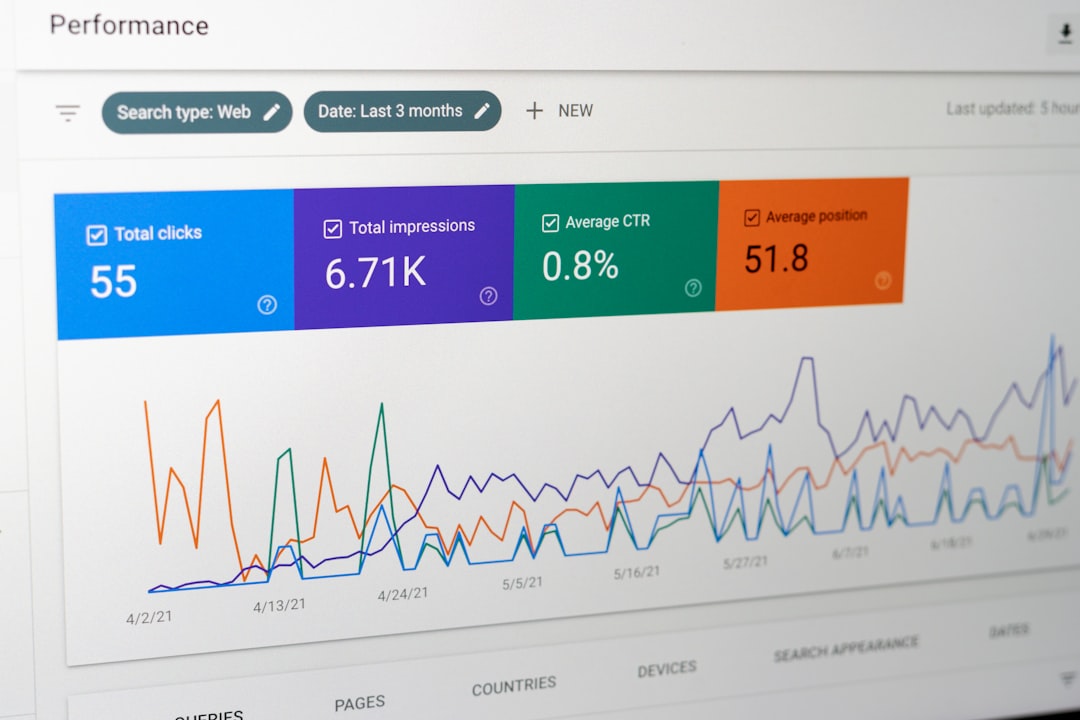
This can uncover quick wins. A page with 14,500 impressions, average position 6.7, and 0.8% CTR may need a title rewrite. A cluster of 40 related queries with no dedicated page may justify a new article or comparison page. A money page stuck in position 11 may need stronger internal links and better proof points.
6. Validate every recommendation
Claude can be persuasive even when it is wrong. Treat its output as a draft audit. Verify facts in your crawler, CMS, analytics platform, and search results.
Check these items before sending recommendations to clients or developers:
- Are the affected URLs still live?
- Are the pages indexable?
- Is the traffic value real?
- Does the issue affect templates or only one page?
- Can Google already see the preferred version?
- Will the fix create side effects?
Expect to waste time if you skip validation. One bad assumption about canonicals or noindex tags can turn a good audit into a messy ticket list.
7. Turn Claude’s output into an SEO action plan
The final step is packaging. Ask Claude to turn validated findings into a clear plan for different teams.
- Developers: technical fixes, templates, redirects, canonicals, schema, page speed items.
- Editors: content updates, rewrites, consolidation, title testing, missing sections.
- Marketing: keyword gaps, landing page ideas, internal linking, campaign support.
- Leadership: expected impact, risk level, timeline, and resource needs.
A serious SEO audit should end with owners and deadlines. Use a table with priority, task, reason, evidence, owner, effort, and success metric. Good metrics include indexed URL count, organic clicks, rankings for target query groups, CTR, conversions, and crawl error reduction.
The best workflow is not complicated: collect reliable data, ask Claude narrow questions, validate the output, and convert the findings into ranked tasks. Used this way, Claude speeds up technical analysis, improves content reviews, and helps spot search opportunities without turning the audit into guesswork.
Leave a Reply