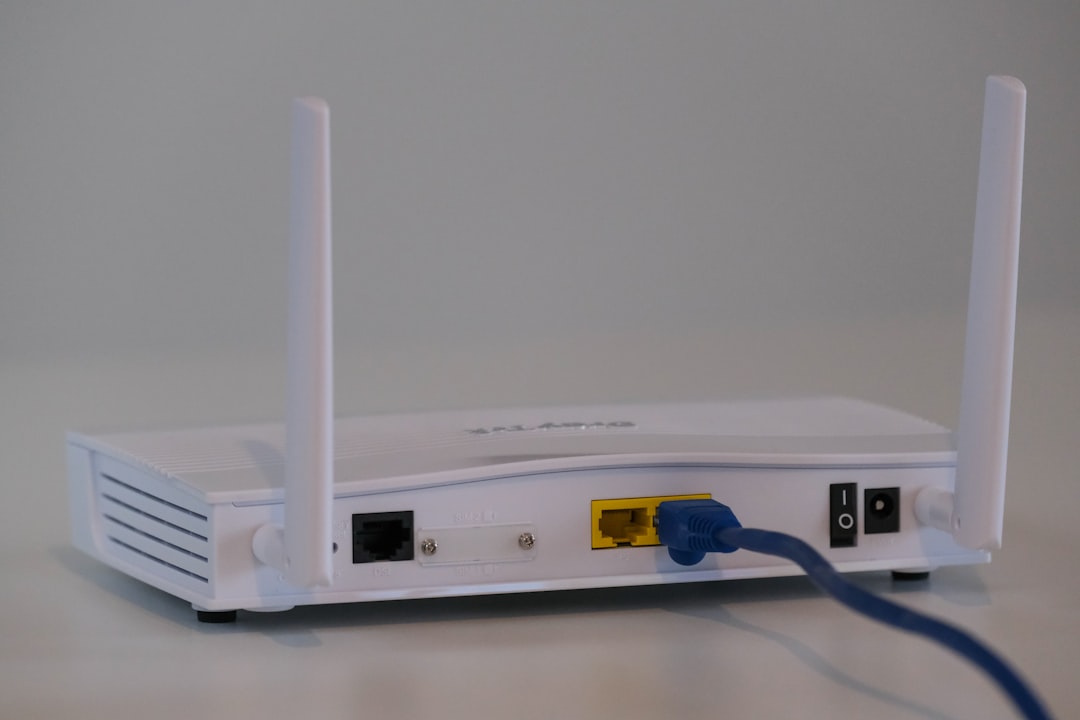
Have you ever looked at your Wi Fi settings and seen a number like 192.168.1.39? It looks a bit mysterious. It might even look like a secret internet code. Good news. It is not scary. It is just an IP address, and it helps devices talk to each other.
TLDR: 192.168.1.39 is a private IP address. It is usually used inside a home, office, or school network. It cannot be reached directly from the public internet. Think of it like a room number inside your house, not your street address.
What Is an IP Address?
An IP address is a number that identifies a device on a network. Your phone has one. Your laptop has one. Your smart TV may have one too. Even your printer can have one, sitting quietly in the corner like a tiny office goblin.
IP addresses help devices send information to the right place. Without them, your router would not know where to send your cat videos, emails, or game updates.
There are two main types of IP addresses you should know about:
- Public IP addresses
- Private IP addresses
They sound fancy. But the idea is simple.
Public IP vs Private IP
A public IP address is used on the open internet. It is like the street address of your home. Websites, apps, and online services can see it when you connect to them.
A private IP address is used inside a local network. That means your home Wi Fi, office network, or school network. It is like a bedroom number, desk number, or apartment number inside a larger building.
Here is a fun way to picture it:
- Public IP: “Deliver this pizza to 22 Maple Street.”
- Private IP: “Give this slice to the person in room 39.”
Your router is the front door. It knows who lives in each “room” of your network.
So, Is 192.168.1.39 Public or Private?
192.168.1.39 is private.
It belongs to a special range of IP addresses reserved for local networks. These addresses are not used on the public internet. They are meant for devices inside a private space.
The important private IPv4 ranges are:
- 10.0.0.0 to 10.255.255.255
- 172.16.0.0 to 172.31.255.255
- 192.168.0.0 to 192.168.255.255
Since 192.168.1.39 starts with 192.168, it falls into the private range. Case closed. Detective hat optional.
What Does 192.168.1.39 Usually Belong To?
On a home network, 192.168.1.39 could belong to almost anything. It depends on what your router assigned it to.
It might be your:
- Laptop
- Phone
- Tablet
- Smart TV
- Game console
- Printer
- Security camera
- Smart fridge, if your fridge is living in the future
Most routers use something called DHCP. That stands for Dynamic Host Configuration Protocol. Big name. Simple job. It automatically gives devices an IP address when they join the network.
So when your phone connects to Wi Fi, the router may say, “Hello phone. Today you are 192.168.1.39.” Very polite. Very efficient.
Can People on the Internet See 192.168.1.39?
No, not directly.
Because 192.168.1.39 is private, it only makes sense inside your local network. Someone outside your house cannot normally type that address into a browser and reach your device.
In fact, many people around the world may have a device using 192.168.1.39 at the same time. That is okay because private addresses are reused in separate networks.
It is like many hotels having a room 39. Room 39 only matters inside that hotel. You need the hotel address first.
Image not found in postmetaHow Does the Internet Work If Private IPs Are Hidden?
Your router does a neat trick. It uses something called NAT. That means Network Address Translation.
NAT lets all your local devices share one public IP address. Your laptop, phone, and TV all talk to the internet through the router. The router keeps track of who asked for what.
Here is a simple example:
- Your laptop at 192.168.1.39 asks for a website.
- Your router sends the request to the internet using your public IP.
- The website sends data back to your router.
- Your router remembers the request came from your laptop.
- The router sends the data to 192.168.1.39.
It is like a mailroom. The outside world sends packages to the building. The mailroom delivers them to the right desk.
Can You Use 192.168.1.39 in a Browser?
Maybe. It depends on what device owns that IP address.
If 192.168.1.39 belongs to a printer, camera, router extender, or smart device, typing it into a browser might open a settings page. If it belongs to a phone or laptop, you may see nothing.
Try this only on your own network. Do not poke random IP addresses like a digital raccoon. It is not helpful, and it can be unsafe.
How Can You Find Which Device Uses 192.168.1.39?
You can usually check your router’s admin page. The address is often something like 192.168.1.1 or 192.168.0.1. Log in, then look for a section called:
- Connected devices
- Device list
- LAN clients
- DHCP clients
You may see device names, IP addresses, and MAC addresses. Some names are friendly, like “Emma’s iPhone.” Others are strange, like “android 7fa92b.” That is normal. Devices are not always great at introductions.
Is 192.168.1.39 Safe?
The address itself is not dangerous. It is just a private network address. But the device using it could still have security settings you should care about.
Here are smart safety tips:
- Use a strong Wi Fi password. Do not use “password123.” Please. The internet has seen enough.
- Update your router firmware. Updates fix security problems.
- Change default admin passwords. Default passwords are too easy to guess.
- Turn off features you do not use. Remote access is handy, but risky if misconfigured.
- Check your device list. If you see a mystery device, investigate.
Can 192.168.1.39 Change?
Yes. It can change.
If your router uses DHCP, it may give your device a different IP later. Today your laptop might be 192.168.1.39. Tomorrow it might be 192.168.1.42. Your laptop did not move. The router just shuffled the numbers.
If you want a device to keep the same address, you can use a static IP or a DHCP reservation. This is useful for printers, cameras, servers, or gaming setups.
A DHCP reservation is usually easier. It tells the router, “Always give this device the same IP.” Nice and tidy.
Why Do So Many Home Networks Use 192.168.1.x?
Many router makers use 192.168.1.x as a default network range. The router is often 192.168.1.1. Other devices get numbers like 192.168.1.2, 192.168.1.15, or 192.168.1.39.
The “x” just means the last number can change. It can usually be from 2 to 254, depending on your settings.
This setup is common because it is simple. It also avoids using real public internet addresses inside your house.
Final Answer
192.168.1.39 is a private IP address. It is used on local networks, not the public internet. It might belong to your laptop, phone, printer, camera, or another device connected to your router.
Think of it as a local nickname. Useful at home. Invisible to the wider internet. Not magical. Not dangerous by itself. Just one small address helping your devices chat behind the scenes.
And now, the next time you see 192.168.1.39, you can nod wisely and say, “Ah yes. A private local address.” Then maybe reward yourself with a snack. Networking knowledge deserves snacks.
Leave a Reply