
Multimedia localization is more than translating words. It is the art of making videos, audio, and interactive content feel local. Not strange. Not stiff. Not “a robot with a dictionary.” It helps people laugh at the right joke, click the right button, and trust your message.
TLDR: Multimedia localization means adapting video, audio, and interactive content for different languages and cultures. Good localization keeps meaning, emotion, timing, and design in sync. Plan early, use native experts, test everything, and never treat subtitles as an afterthought. The goal is simple: make content feel like it was made for that audience.
Why Multimedia Localization Matters
People notice when content feels “off.” A joke may not land. A voice may sound too formal. A button label may be too long. A hand gesture may mean something rude in another country. Oops.
Great localization avoids these little disasters. It makes your content clear, natural, and enjoyable. It also builds trust. When people feel understood, they stay longer. They watch more. They click more. They buy more.
This is true for training videos, ads, mobile apps, games, podcasts, product demos, e learning courses, and social media clips. If it moves, speaks, or asks users to interact, it needs smart localization.
Start With a Localization Plan
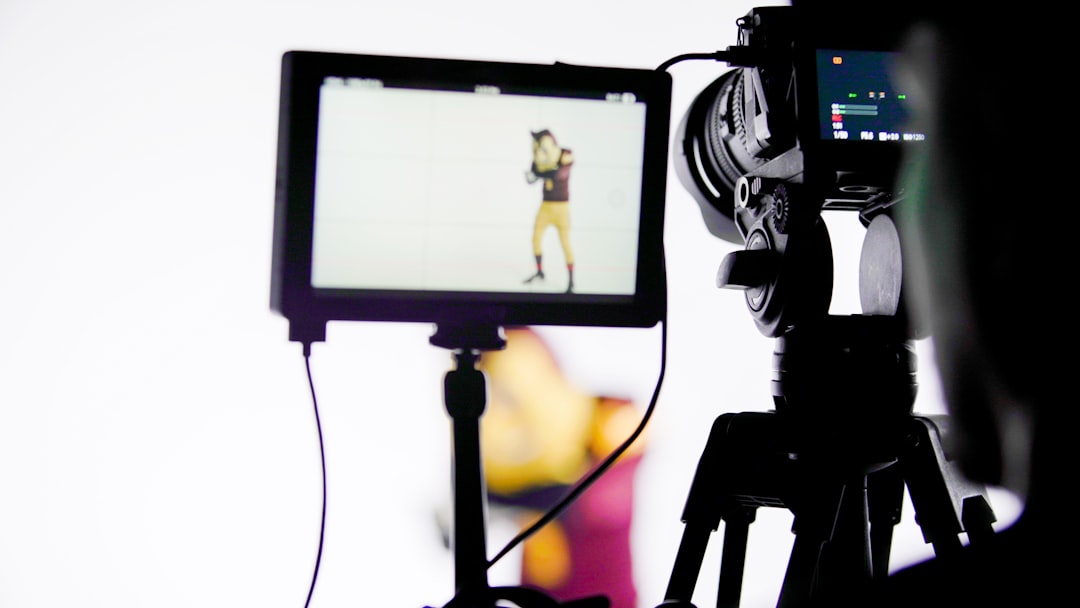
Do not wait until the final edit. That is like packing a suitcase after the plane has left. Plan localization from the start.
Ask these questions early:
- Which languages do you need now?
- Which regions speak those languages?
- Who is the audience? Kids, doctors, gamers, shoppers?
- What tone fits them? Friendly, formal, funny, calm?
- What content may need cultural changes?
- What file formats will translators and editors need?
A Spanish version for Mexico may not be the same as one for Spain. A French version for Canada may not match one for France. Language is local. Culture is local too.
Best Practices for Video Localization
Video has many moving parts. Words, faces, music, text on screen, graphics, and timing all work together. If one part breaks, the whole thing can feel weird.
1. Choose the Right Video Method
There are several ways to localize video. Each has a different use.
- Subtitles: Fast and cost friendly. Great for social media, training, and interviews.
- Voice over: A translated voice plays over the original or replaces it. Good for tutorials and documentaries.
- Dubbing: New voices match the speakers on screen. Great for films, ads, and emotional stories.
- Text replacement: On screen text is translated inside the video. This is important for titles, labels, charts, and callouts.
Subtitles may be enough for a short explainer. A major product launch may need dubbing and translated graphics. Match the method to the goal.
2. Keep Subtitles Easy to Read
Subtitles are not tiny novels. Keep them short. Use simple words. Give viewers time to read.
A good subtitle should:
- Stay on screen long enough.
- Use clear line breaks.
- Avoid crowded text.
- Match the speaker’s meaning.
- Fit the tone of the scene.
Also, place subtitles where they do not cover important visuals. Nobody wants to read text over a person’s face or a key product detail.
3. Respect Timing and Lip Movement
Timing matters. A joke needs to arrive before the laugh. A warning needs to appear before the action. A dubbed line should feel close to the speaker’s mouth movement.
This is where translators, editors, and voice actors need to work as a team. A perfect translation that is too long may fail on screen. Sometimes you need to adapt, not translate word for word.
Best Practices for Audio Localization
Audio creates mood fast. A warm voice can make users relax. A bad voice can make them run away. Very fast.
1. Pick the Right Voice
Voice casting is important. The actor should match the audience and the brand. A playful app for kids needs a different voice than a finance course for managers.
Think about:
- Age: Does the voice sound right for the message?
- Accent: Is it familiar to the target audience?
- Tone: Friendly, expert, exciting, serious?
- Pace: Too fast can confuse. Too slow can bore.
Use native voice talent when possible. They catch small details. They also know what sounds natural.

2. Localize More Than Speech
Do not forget music and sound effects. A cheerful tune in one market may sound childish in another. A sound effect may be funny in one culture and annoying in another.
Also check legal rights. Music licenses may not cover every country. That catchy track may need a new license, or a new song.
3. Prepare Clean Audio Files
Give your audio team clean materials. This includes scripts, time codes, pronunciation guides, and reference videos.
If a brand name, product name, or person’s name is tricky, explain it. Add phonetic notes. Even better, provide a short recording. This saves time. It also saves your ears.
Best Practices for Interactive Content
Interactive content is where localization gets extra spicy. Users click, swipe, answer, choose, drag, drop, and explore. Every action must still make sense after translation.
1. Design for Text Expansion
Some languages take more space than others. German can be long. Spanish may grow. Arabic and Hebrew read right to left. Chinese may be compact. Buttons and menus must handle this.
To avoid broken layouts:
- Leave extra space in buttons and labels.
- Avoid text baked into images.
- Use flexible layouts.
- Test on phones, tablets, and desktops.
- Support right to left languages when needed.
A button that says “Start” in English may become longer in another language. If your button cannot stretch, your design may cry.
2. Localize User Choices
Quizzes, games, forms, and menus need special care. A question may depend on local knowledge. A joke answer may not be funny elsewhere. A date field may confuse users if the format changes.
Check these elements:
- Date, time, and number formats.
- Currency and units of measurement.
- Names, addresses, and phone fields.
- Examples and scenarios.
- Icons, colors, and gestures.
For example, a thumbs up icon is friendly in many places. But not everywhere. Local review helps you avoid awkward surprises.
Build a Strong Localization Kit
A localization kit is like a treasure map for your team. It tells everyone what to do and what to avoid.
Include:
- Final scripts or editable scripts.
- Source files for video, graphics, and audio.
- Glossaries for brand terms and product names.
- Style guides for tone and voice.
- Character limits for subtitles and buttons.
- Context notes for jokes, idioms, and visuals.
- Reference links or preview files.
Context is gold. A translator who sees the scene will do a better job than one who only sees a spreadsheet. Always show how the words are used.
Test With Real Humans
Testing is not optional. It is where hidden bugs jump out and wave tiny flags.
Review localized content with native speakers. Ask them to check meaning, tone, timing, layout, audio quality, and cultural fit. For interactive content, let them click through the full experience.
Watch for:
- Cut off text.
- Wrong subtitles.
- Audio that starts too early or too late.
- Buttons that do not work.
- Unnatural phrases.
- Cultural references that feel strange.
Also test accessibility. Add captions for people who are deaf or hard of hearing. Use audio descriptions when needed. Make sure interactive content works with keyboards and screen readers.
Keep It Human
Translation tools can help. Automation can speed things up. But multimedia localization needs human judgment. People understand humor, emotion, slang, rhythm, and culture.
The best results come from a mix of smart tools and skilled people. Let technology handle repetitive tasks. Let humans handle meaning and feeling.
Final Thoughts
Multimedia localization is not just a language task. It is a full experience task. Video must look right. Audio must sound right. Interactive content must feel right.
Plan early. Share context. Use native experts. Test with real users. Keep things simple. When you do this, your content can travel the world without looking lost at the airport.
Make it local. Make it clear. Make it fun. That is the secret.
Leave a Reply