Sertifi is best for hotels, event teams, travel companies, and sales organizations that need signed agreements and secure payments in one workflow. It is not the cheapest e-signature tool, and it is not the most flexible document platform. Its strength is narrower: getting contracts signed, cards authorized, and deposits collected with fewer emails and fewer manual payment steps.
TLDR: Sertifi combines digital signatures, payment collection, and credit card authorization, which makes it especially useful for hospitality and event sales teams. For example, a hotel sales office handling 120 banquet agreements per month could cut follow-up emails by 30% if guests sign and pay deposits from the same link. The main downside is pricing transparency, since many plans require a custom quote. If you only need basic signatures, DocuSign, Dropbox Sign, or signNow may be simpler and cheaper.
What Sertifi Does Well
Sertifi is built around a practical problem: contracts often do not end with a signature. A venue, hotel, tour operator, or B2B sales team may also need a deposit, card authorization, or final payment. Sertifi puts these steps into a single transaction flow.
That matters. A signed agreement without payment can still leave staff chasing the customer. A payment without proper authorization can create risk. Sertifi tries to close that gap.
- Electronic signatures for contracts, proposals, agreements, and forms.
- Payment collection for deposits, balances, and invoices.
- Credit card authorization with security controls for sensitive data.
- Workflow tracking so teams can see what is signed, paid, pending, or expired.
- Integrations with common CRM, hospitality, and business systems.
Digital Signature Experience
Sertifi’s signing flow is clean and businesslike. Recipients receive a link, review the document, fill required fields, and sign electronically. The process is familiar enough for most users, even if they are not technical.
The platform supports standard e-signature needs such as signer order, required fields, document status, and audit records. For sales teams, the biggest benefit is visibility. Staff do not need to dig through inboxes to see whether a client signed the latest version.
The signing experience is not as polished as some larger e-signature platforms. Template editing can feel more rigid than expected. Honestly, it feels like a tool designed first for secure transactions, then for document design. That is fine for contracts and authorizations. It is less ideal for teams that send highly styled proposals every day.
Payment Features and Card Authorization
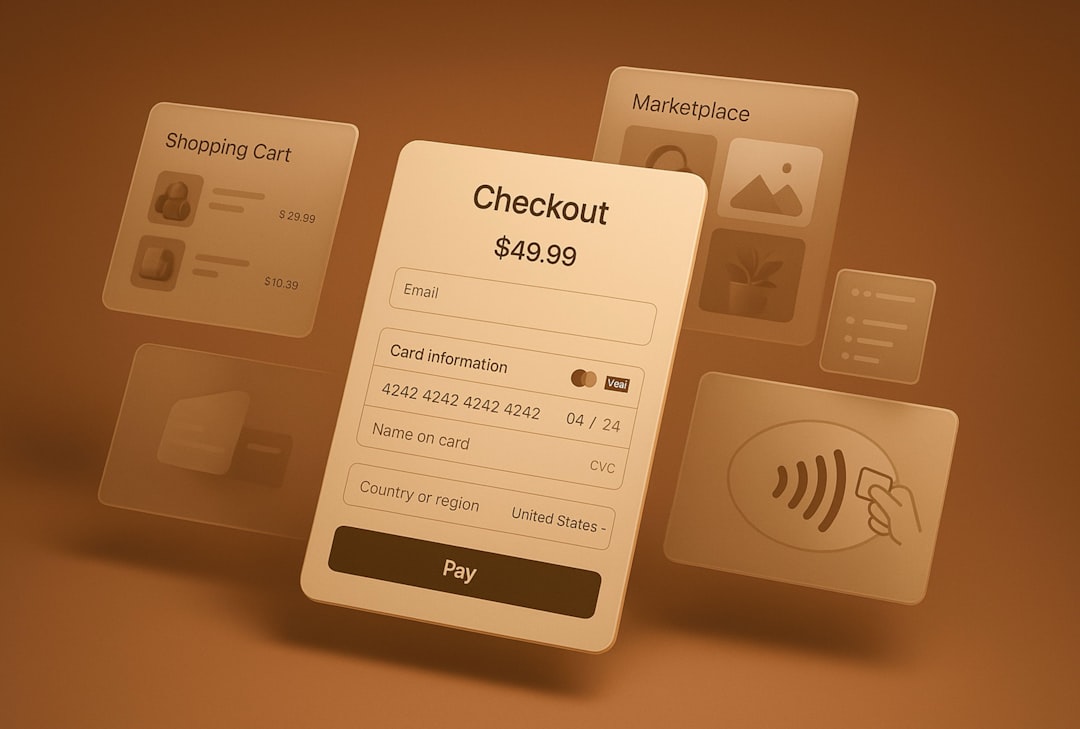
Sertifi’s strongest feature is the way it connects signing and payment. A customer can sign an agreement and submit secure payment details in the same process. This is useful for room blocks, weddings, corporate events, travel bookings, and service deposits.
The platform is often used for digital credit card authorization forms. That can reduce risky paper forms, faxed card details, and exposed payment data. For organizations trying to reduce PCI headaches, that is a major reason to consider Sertifi.
Payment workflows may include:
- Deposit requests tied to an agreement.
- Final balance collection.
- Card-on-file authorization.
- Secure payment links.
- Status tracking for paid and unpaid transactions.
The catch is that configuration can take time. Expect to spend time setting up templates, payment rules, and internal processes before the system feels smooth. For smaller teams, that setup may feel heavy compared with a basic e-signature app plus a simple payment link.
Security and Compliance
Sertifi takes security seriously, which is one reason it has a strong presence in industries that handle card data. The platform promotes secure payment capture, authorization workflows, audit trails, and controlled access.
For hotels and event venues, this is not just nice to have. Staff often handle guest card details, signed agreements, and billing notes across several systems. That creates real exposure. Sertifi helps reduce the number of people and places touching sensitive payment data.
Still, buyers should ask specific questions before signing a contract. Confirm how data is stored, which payment processors are supported, what audit logs are available, and how long documents remain accessible. Do not rely on a sales page alone.
Who Should Use Sertifi?
Sertifi makes the most sense when signatures and payments are connected. It is a strong fit for teams that lose time when customers sign late, forget deposits, or send card details through unsafe channels.
- Hotels: group bookings, event contracts, credit card authorizations, and deposits.
- Event venues: banquet agreements, wedding contracts, rental deposits, and final payments.
- Travel companies: booking forms, payment authorizations, and customer agreements.
- B2B sales teams: contracts that require payment or billing approval.
It is less compelling for freelancers, solo consultants, and small firms that only need signatures. Those users may get better value from a simpler tool.
Pricing: The Frustrating Part
Sertifi does not make pricing as easy to compare as many self-service signature tools. In many cases, businesses need to request a quote. That is common for software aimed at hotels and larger teams, but it slows down evaluation.
It drives me crazy when software hides basic pricing ranges, especially when buyers are comparing five tools at once. A small team may need to book a demo just to learn whether the product is even in budget.
That said, custom pricing can make sense if the deal includes payment features, integrations, multiple locations, or higher transaction volume. The key is to compare the full cost, not only the subscription fee. Ask about setup fees, payment processing costs, user limits, template limits, and integration charges.
Sertifi Pros and Cons
| Pros | Cons |
|---|---|
| Strong mix of signatures and payments | Pricing is not always public |
| Useful for hospitality and event workflows | May be more tool than small teams need |
| Secure card authorization features | Template setup can take time |
| Good transaction tracking | Document design options may feel limited |
Best Sertifi Alternatives Compared
DocuSign is the best-known alternative for general e-signatures. It has broad integrations, strong brand trust, and mature signing tools. It is a better choice if signatures are your main need. For payment-heavy hospitality workflows, Sertifi may be more focused.
Adobe Acrobat Sign works well for companies already using Adobe tools. It offers strong PDF handling and enterprise controls. It can be a good fit for legal, HR, and finance teams. Sertifi is better when card authorization and deposits sit at the center of the workflow.
Dropbox Sign is a simple option for small teams that want clean, fast e-signatures. It is easier to start with than Sertifi. It is not as specialized for secure payment collection or hospitality use cases.
signNow is often attractive for budget-conscious teams. It offers templates, signing links, and team features at competitive prices. It is a good pick when cost matters most. Sertifi remains stronger for businesses that need payment authorization tied to agreements.
PandaDoc is stronger for proposals, quotes, and sales documents. It offers content blocks, pricing tables, and proposal analytics. If your team creates polished sales documents, PandaDoc may feel better. If you need secure customer payment authorization after signing, Sertifi has the edge.

Final Verdict
Sertifi is a serious tool for businesses that need more than a signature. Its best use case is clear: send an agreement, collect a signature, secure payment details, and track completion without forcing staff to manage messy email threads.
Choose Sertifi if payment security, card authorization, and hospitality workflows are core to your process. Choose DocuSign, Adobe Acrobat Sign, Dropbox Sign, signNow, or PandaDoc if your needs are mostly document signing, proposal creation, or low-cost contract approval.
The smart move is to map your workflow before booking a demo. Count how many agreements require payment. Estimate how many staff touch card data. Review how often deals stall after signing. If those numbers are high, Sertifi deserves serious consideration.
Leave a Reply