
Turning a software idea into a working product requires more than enthusiasm and a backlog of features. Before developers write code, testers prepare scenarios, or stakeholders approve timelines, teams need a shared blueprint that explains what will be built, how it will work, and why key decisions were made. That blueprint is commonly known as a Software Design Specification, or SDS.
TLDR: A Software Design Specification is a structured document that describes the architecture, components, data, interfaces, workflows, and technical decisions behind a software system. It helps developers, designers, testers, project managers, and stakeholders stay aligned before and during implementation. A strong SDS includes both high-level and detailed design information, making it easier to build, review, test, maintain, and scale the product.
What Is a Software Design Specification?
A Software Design Specification is a technical document that translates requirements into a practical design plan. While a requirements document explains what users need, the design specification explains how the system will satisfy those needs.
For example, a requirement might say: “Users must be able to reset their password.” The design specification would describe the password reset workflow, the database fields involved, the email service used, token expiration rules, validation logic, error messages, and security considerations.
In short, an SDS acts as a bridge between product planning and software development. It gives engineers enough detail to build confidently, while giving non-technical stakeholders enough visibility to understand the system’s structure and behavior.
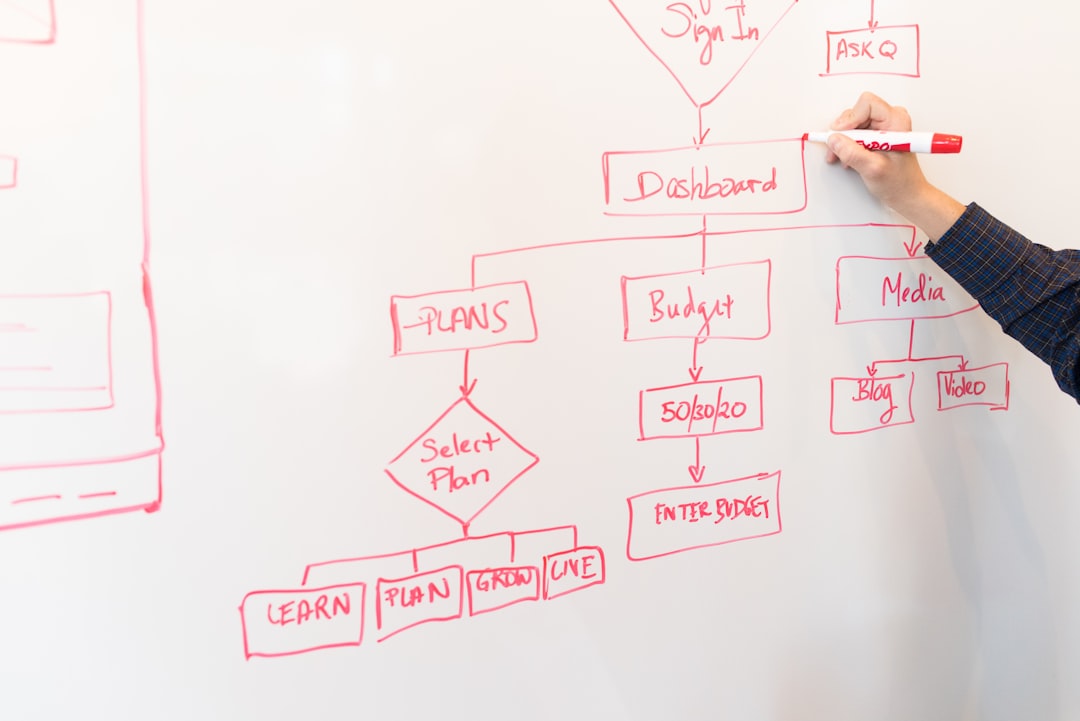
Why a Software Design Specification Matters
Skipping a design specification can feel faster at first, especially in small or agile teams. However, the cost often appears later in the form of rework, unclear ownership, inconsistent implementation, and difficult maintenance.
A well-written SDS helps teams:
- Reduce ambiguity: Everyone understands how features should behave and interact.
- Improve estimates: Developers can better judge complexity when design details are visible.
- Support collaboration: Backend, frontend, QA, DevOps, and product teams can coordinate around one plan.
- Catch problems early: Architecture flaws, missing data, or security risks can be identified before coding begins.
- Simplify onboarding: New team members can understand the system faster.
- Improve long-term maintenance: Future developers can see why certain design decisions were made.
Even in agile environments, an SDS does not need to be a rigid, hundred-page document. It can be lightweight, iterative, and continuously updated as the product evolves.
Software Design Specification Template
The following template can be adapted for web applications, mobile apps, enterprise platforms, internal tools, APIs, or software as a service products. Depending on project size, each section may be brief or highly detailed.
1. Document Overview
This section introduces the document and explains its purpose.
- Project name: The name of the software product or system.
- Document version: Version number and date.
- Prepared by: Author or responsible team.
- Audience: Developers, testers, architects, product managers, clients, or stakeholders.
- Purpose: Why the document exists and what it covers.
Example: “This Software Design Specification describes the architecture, modules, data model, interfaces, and design decisions for the Online Appointment Booking System.”
2. Project Scope
The scope explains what the software will and will not include. This prevents confusion and helps manage expectations.
- Included features: List major features supported by the design.
- Excluded features: Clarify what is out of scope.
- Assumptions: Note conditions assumed to be true.
- Constraints: Mention budget, technology, compliance, timeline, or platform limits.
Example: “The system will support appointment creation, calendar availability, email reminders, and user authentication. Online payments are excluded from the first release.”
3. System Overview
This section provides a high-level explanation of the software’s structure. It should be understandable to both technical and semi-technical readers.
Include a short description of the major components, such as:
- Web or mobile client
- Backend application server
- Database
- External services
- Authentication provider
- Notification system
Example: “The application consists of a React frontend, a Node.js backend API, a PostgreSQL database, and an email notification service. Users interact with the frontend, which communicates with backend endpoints to retrieve appointments, update availability, and manage accounts.”
4. Architecture Design
The architecture section describes the overall technical structure. It answers questions such as: Is the system monolithic or service based? Where does business logic live? How do components communicate?
Common architecture details include:
- Architecture style: Monolith, microservices, layered architecture, event driven, serverless, or client server.
- Component responsibilities: What each part of the system does.
- Communication methods: REST APIs, GraphQL, messaging queues, WebSockets, or internal services.
- Deployment environment: Cloud provider, containers, virtual machines, or on premises infrastructure.

Example: “The system will use a layered architecture with presentation, application, domain, and persistence layers. The presentation layer handles user interaction, the application layer coordinates workflows, the domain layer contains business rules, and the persistence layer manages database access.”
5. Detailed Component Design
After describing the overall architecture, the SDS should explain individual components in more detail. This is where developers gain practical implementation guidance.
For each component, include:
- Name: Component or module name.
- Purpose: What the component does.
- Inputs: Data or events it receives.
- Outputs: Data, responses, or events it produces.
- Dependencies: Other modules, APIs, libraries, or services required.
- Error handling: How failures are managed.
Example:
- Component: Appointment Scheduler
- Purpose: Allows users to book available time slots.
- Inputs: User ID, selected service, selected date and time.
- Outputs: Appointment confirmation, calendar update, notification request.
- Dependencies: User service, availability service, notification service.
- Error handling: If a selected slot is unavailable, return a conflict message and suggest alternative slots.
6. Data Design
The data design section defines how information is stored, structured, related, and protected. It can include entity relationship diagrams, table definitions, collections, schemas, or object models.
Important items to document include:
- Entities: User, appointment, product, invoice, message, or other core objects.
- Attributes: Fields for each entity, such as name, email, status, or created date.
- Relationships: One to one, one to many, or many to many relationships.
- Indexes: Fields optimized for search and performance.
- Retention rules: How long data is stored.
- Privacy rules: How sensitive data is protected.
Example: “The Appointment entity includes appointment ID, user ID, provider ID, start time, end time, status, notes, created date, and updated date. Each appointment belongs to one user and one provider.”
7. Interface Design
Interface design describes how users and systems interact with the software. This may include user interface screens, API endpoints, command line actions, webhooks, or integrations with external systems.
For user interfaces, document:
- Screen names and purposes
- Navigation paths
- Forms and fields
- Buttons and actions
- Validation messages
- Accessibility considerations
For APIs, document:
- Endpoint URL
- HTTP method
- Request parameters
- Response format
- Error codes
- Authentication requirements
Example API endpoint:
- Endpoint: /api/appointments
- Method: POST
- Description: Creates a new appointment.
- Request body: userId, providerId, startTime, serviceType.
- Success response: Appointment ID and confirmation status.
- Error response: 409 Conflict if the time slot is already booked.
8. Security Design
Security should never be an afterthought. The SDS should describe how the system protects users, data, and infrastructure.
Include details such as:
- Authentication: Password login, multifactor authentication, single sign on, or token based access.
- Authorization: Role based permissions, ownership checks, admin privileges, or access rules.
- Encryption: Data encryption in transit and at rest.
- Input validation: Protection against injection, malicious files, or invalid data.
- Logging and monitoring: Security events, failed logins, suspicious activity, and audit trails.
- Compliance: Requirements related to privacy, healthcare, finance, or regional regulations.
Example: “All API requests must use HTTPS. User passwords will be hashed using a modern password hashing algorithm. Administrative routes require role based authorization and all permission changes will be logged.”
9. Error Handling and Logging
Every system fails sometimes. A good design specification explains how the software responds when something goes wrong.
Document:
- Common error conditions
- User facing error messages
- Internal exception handling
- Retry behavior
- Fallback actions
- Logging requirements
Example: “If the email notification service is unavailable, the appointment will still be saved. The notification request will be queued for retry, and the issue will be logged with severity level warning.”
10. Performance and Scalability
This section defines expectations for speed, capacity, and growth. It may include response time targets, database optimization plans, caching rules, or scaling strategies.
Useful performance details include:
- Expected users: Current and projected user volume.
- Response time: Maximum acceptable page load or API response time.
- Throughput: Number of requests or transactions per second.
- Caching: What data can be cached and for how long.
- Scaling approach: Horizontal scaling, vertical scaling, load balancing, or background workers.
Example: “The appointment search endpoint should respond within 500 milliseconds under normal load. Frequently requested provider availability data may be cached for five minutes.”
11. Testing Considerations
Although a separate test plan may exist, the SDS should identify design areas that require special testing attention.
Include:
- Unit testing expectations
- Integration testing points
- Security testing needs
- Performance testing scenarios
- Usability and accessibility checks
- Edge cases and failure scenarios
Example: “Integration tests must verify that two users cannot book the same time slot simultaneously. Tests should also confirm that appointment reminder emails are sent only for confirmed appointments.”
Software Design Specification Example: Simple Task Management App
To see how the template works in practice, imagine a small task management application for teams.
Project Overview
The task management app allows users to create projects, assign tasks, set due dates, update task status, and comment on work items.
Architecture
The system uses a web frontend, backend REST API, relational database, and notification service. The frontend displays dashboards and forms. The backend handles business logic, validation, and database operations.
Main Components
- User Management: Handles registration, login, roles, and user profiles.
- Project Module: Creates and manages projects.
- Task Module: Creates, updates, assigns, filters, and archives tasks.
- Comment Module: Allows users to discuss tasks.
- Notification Module: Sends alerts when tasks are assigned or updated.
Data Model
- User: userId, name, email, role, createdDate.
- Project: projectId, name, description, ownerId, status.
- Task: taskId, projectId, assigneeId, title, description, priority, dueDate, status.
- Comment: commentId, taskId, userId, message, createdDate.
Key Workflow
When a user creates a task, the backend validates the required fields, stores the task in the database, assigns it to the selected user, and triggers a notification. If the assignee does not exist, the system returns a validation error and does not create the task.
Best Practices for Writing an SDS
A useful Software Design Specification is not necessarily the longest one. It is the one that helps the team make better decisions and build with fewer surprises.
- Write for your audience: Use enough technical detail for developers without making the document impossible for stakeholders to understand.
- Use diagrams where helpful: Architecture and data relationships are often easier to understand visually.
- Keep it updated: A stale design document can be worse than no document because it creates false confidence.
- Document decisions, not just outcomes: Explain why a database, framework, or architecture was chosen.
- Be specific: Replace vague statements like “the system should be fast” with measurable targets.
- Include exceptions: Edge cases often reveal the weaknesses in a design.
Common Mistakes to Avoid
- Writing too late: If the SDS is created after development, it becomes documentation instead of design guidance.
- Ignoring nonfunctional requirements: Performance, security, reliability, and accessibility are part of the design.
- Overloading the document: Too much unnecessary detail can make the SDS hard to maintain.
- Using unclear language: Ambiguous wording leads to inconsistent implementation.
- Forgetting external dependencies: Third party APIs, payment systems, authentication services, and email providers should be documented.
Final Thoughts
A Software Design Specification is one of the most valuable planning tools in software development. It gives teams a clear technical direction, reduces guesswork, and creates a shared understanding of how the product should function. Whether you are building a simple internal tool or a complex enterprise platform, an SDS can help transform scattered ideas into an organized, buildable system.
The best design specifications are clear, practical, and living documents. They do not need to predict every future change, but they should provide enough structure to guide development, testing, maintenance, and future growth. When written well, an SDS becomes more than a document; it becomes the foundation for better software.
Leave a Reply